

Key Takeaways
Why Shopping Emails Are Prime Phishing Targets
Online shopping generates a predictable stream of transactional email - confirmations, shipping updates, delivery alerts, return approvals. Attackers exploit that predictability. Because consumers expect these messages, they're less likely to scrutinize them carefully before clicking. The result is a category of phishing that security researchers sometimes call transactional lure attacks.
The mechanics are straightforward: a fraudulent email mimics the visual design of a well-known retailer, includes a convincing but fake tracking number or order ID, and links to a credential-harvesting page that looks nearly identical to the real retailer's login screen. Once you enter your username and password, the attacker has everything needed to take over your account, access stored payment methods, or make purchases in your name.
What makes these attacks effective isn't sophisticated technology - it's timing and familiarity. If you ordered something two days ago and a "shipping confirmation" arrives, the context feels right. Understanding that this is exactly what attackers count on is the first step toward not being caught by it. For a broader look at how fraudulent sites operate, see why familiar-looking sites can still be scams.
Display Names Can Be Completely Fabricated
Email clients show a friendly display name - like "Amazon Customer Service" - but anyone can set any display name they like. Always expand the sender field to see the underlying email address. A mismatch between the name and domain is a strong signal the message is fraudulent.
Tools and Setup Before You Start
Before working through the steps below, make sure you have the right habits and tools in place. A password manager is particularly useful because it only autofills credentials when the domain in your browser's address bar matches the site it was saved for - meaning it acts as a passive, automatic check against lookalike phishing pages.
Email client header viewer
Reveals the raw sender address and server routing path hidden behind friendly display names.
Password manager
Autofills credentials only on legitimate domains, acting as a passive check against lookalike phishing pages.
Multi-factor authentication (MFA) app
Adds a second verification step so stolen passwords alone cannot unlock your shopping accounts.
If you haven't yet enabled multi-factor authentication on your shopping accounts, that's worth doing now. Even if a phishing email eventually tricks you into entering a password, MFA creates a second barrier the attacker must overcome. For more on account security fundamentals, see password habits that leave shopping accounts exposed.
What you will need
Step-by-Step: Evaluating a Suspicious Shopping Email
The following steps walk you through a systematic way to assess any shopping-related email before acting on it. Apply them in order - stopping at the first clear red flag means you don't need to analyze the rest.
Never Enter Credentials From an Email Link
If an email prompts you to log in or verify payment information, do not click through and enter your details. Open a new browser tab and navigate directly to the retailer's official site instead. Credentials entered on phishing pages go straight to attackers, often within seconds of submission.
Pause before clicking anything in the email
The moment an unexpected order confirmation, shipping notice, or refund alert lands in your inbox, resist the instinct to click immediately. Phishing messages are engineered for urgency - phrases like "Your package is on hold" or "Confirm your order within 24 hours" are designed to short-circuit careful thinking. Take five seconds to assess whether you were expecting this message at all.
Inspect the sender's actual email address
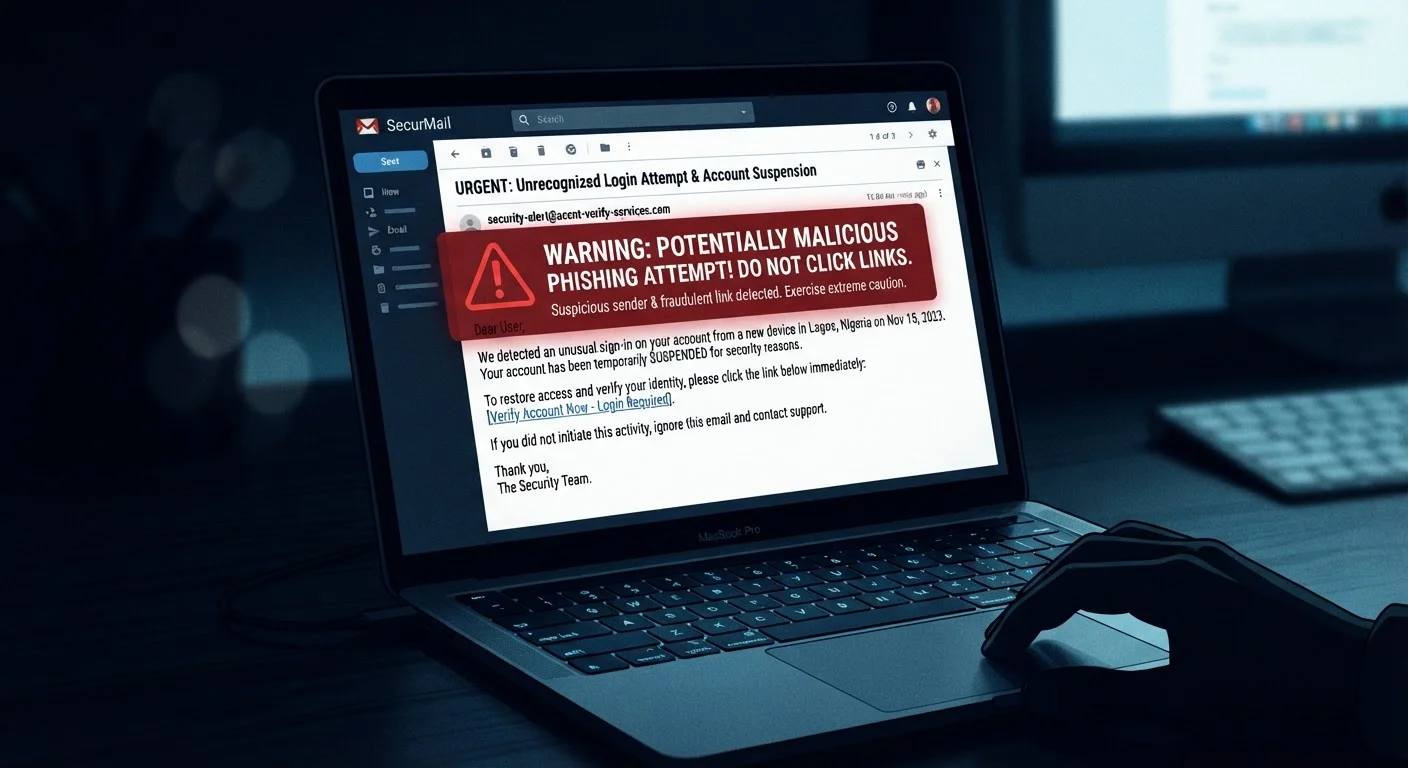
Click or tap the sender field to expand it beyond the display name. The underlying domain - the part after the @ symbol - should match the retailer's official domain exactly. Phishing domains often substitute characters (e.g., amaz0n-support.com) or add words (amazon-orders-help.net). A domain you don't recognize is a clear red flag, regardless of how convincing the display name looks.
Hover over links without clicking them
On a desktop, hovering your cursor over any link in the email reveals the destination URL in the status bar at the bottom of the browser or email client. On mobile, press and hold a link to preview the URL. Compare that destination against the retailer's known domain. Our guide on reading the URL bar explains how to decode what you see there.
Look for personalization and order-specific details
Legitimate retailers typically include your full name, the last four digits of your payment method, and specific item names or order numbers in transactional emails. Generic greetings like "Dear Valued Customer" combined with vague references to "your recent purchase" are hallmarks of mass-distributed phishing campaigns that have no knowledge of your actual orders.
Navigate directly to the retailer's site to verify
Rather than clicking any link in the email, open a new browser tab and type the retailer's official address directly, or use a bookmark you created previously. Log in to your account and check the order history or notification center. If the alert in the email is real, the same information will appear there. If nothing matches, the email was almost certainly fraudulent.
Report the phishing email and delete it
Most email providers offer a "Report phishing" or "Report spam" option. Using it helps the provider's filters protect other users. You can also forward suspected phishing emails to the Anti-Phishing Working Group at reportphishing@apwg.org, and to the FTC at reportfraud.ftc.gov. Once reported, delete the message rather than leaving it in your inbox where it might be clicked accidentally later.
Use Your Inbox as a Last Resort, Not a Shortcut
Make it a habit to check order status by logging in directly to the retailer's site rather than following email links. This single behavior change eliminates the most common entry point for shopping-related phishing attacks. Bookmark the retailer's official order-tracking page for quick access.
What to Do If You Already Clicked
If you realize after the fact that you may have followed a phishing link and entered your details, act quickly. Change your password for that retailer's account immediately, using a device and network you trust. If you used the same password elsewhere - a common but risky habit - change it on those accounts too. Contact your card issuer if you entered payment information; most issuers can flag the account for monitoring or issue a replacement card.
Document what happened: note the email address it came from, the URL you were directed to, and approximately when it occurred. This information can be useful if you need to file a report with the FTC or your state's consumer protection office. For a complete framework covering account setup through post-incident response, the online shopping safety guide is a useful companion resource.
Going forward, the safest posture is to treat every unsolicited shopping email as requiring verification through the retailer's official site before you take any action - no exceptions. That single habit addresses the vast majority of transactional phishing risk without requiring any technical expertise.