

Key Takeaways
Our Verdict
Neither wired nor wireless smart home devices are universally superior - each suits different scenarios. Wired devices reward those willing to invest in permanent, dependable infrastructure, while wireless devices offer flexibility and accessibility that suits renters, experimenters, and those expanding gradually. Most homes ultimately benefit from a thoughtful mix of both.
| Best for | Recommended |
|---|---|
| Homeowners prioritising long-term reliability and permanent installations | Wired smart devices |
| Renters or those who want low-effort, flexible setups | Wireless smart devices |
| Those building out a scalable connected home system over time | Hybrid wired and wireless approach |
What the Wired vs. Wireless Distinction Actually Means
In the context of smart home devices, "wired" typically refers to devices that draw power and sometimes data directly from your home's electrical or low-voltage wiring - think hardwired smart switches, in-wall dimmers, or security panels connected to door sensors via physical cable. "Wireless" covers devices that communicate over radio protocols like Wi-Fi, Zigbee, Z-Wave, or Bluetooth, and are usually battery-powered or plug into a standard outlet.
This distinction matters because it shapes installation complexity, long-term reliability, and how freely you can reconfigure your setup. If you're still forming a clear picture of what smart home technology involves at a fundamental level, understanding what makes a home truly "smart" is a useful foundation before diving into hardware trade-offs.
The Case for Wired Smart Devices
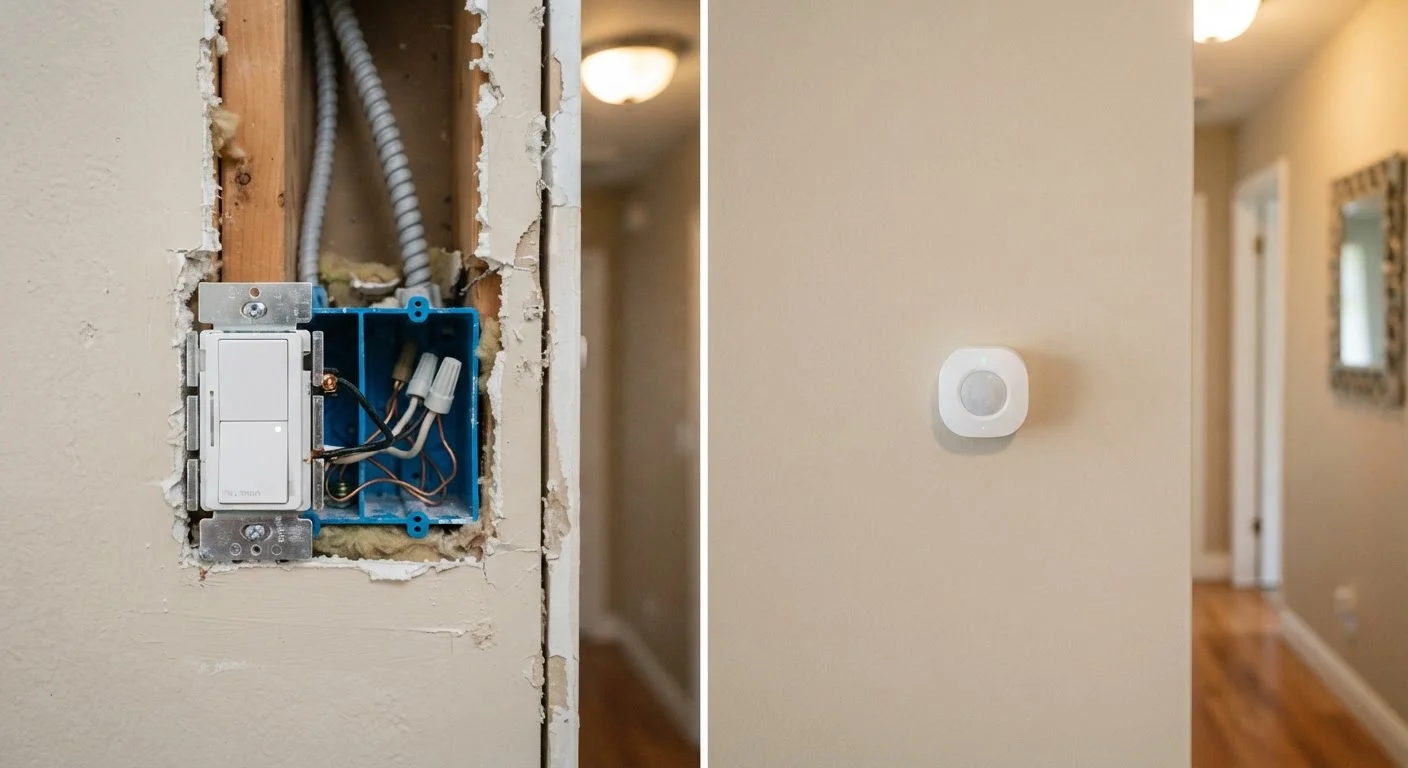
Hardwired devices have one significant structural advantage: they don't depend on batteries or wireless signal quality. A wired smart switch communicates over a dedicated connection and draws steady power, meaning it won't drop off your network because of interference or a depleted AA battery.
Consistency is the defining benefit. Wired occupancy sensors in a commercial-style setup, hardwired smoke and CO detectors integrated into a security system, or in-wall smart switches all operate without the latency spikes or occasional dropouts that affect some wireless protocols. If wireless disconnections have frustrated you, wired alternatives eliminate that entire category of problem.
The trade-offs are real, however. Installation typically requires working inside wall boxes, and many smart switches require a neutral wire - a conductor not present in some older wiring configurations. This is a genuine constraint: homes built before the mid-1980s may lack neutral wires at switch locations, limiting compatible wired devices to a narrower set. Electrical work in junction boxes generally calls for a licensed electrician, particularly when rewiring is involved. This adds cost and lead time compared to peeling a wireless sensor off its backing and sticking it to a door frame.
| Wired Smart Devices | Wireless Smart Devices | |
|---|---|---|
| Reliability | High - no signal or battery dependency | Variable - depends on network and battery |
| Installation complexity | High - often requires an electrician | Low - typically plug-and-play or adhesive mount |
| Flexibility / relocatability | Low - permanently installed | High - easy to move or remove |
| Ongoing maintenance | Minimal once installed | Battery replacements required periodically |
| Suitability for renters | Generally not practical | Well suited for rental situations |
| Neutral wire requirement | Often required; older homes may lack it | Not applicable |
| Network congestion impact | None | Can contribute, especially with Wi-Fi devices |
The Case for Wireless Smart Devices
Wireless devices dominate the consumer smart home market for practical reasons: they're accessible, relocatable, and don't require any wall-opening. A wireless motion sensor can be repositioned as your furniture arrangement changes. A battery-powered door sensor works in a rented apartment without landlord permission. That flexibility has real value.
The protocol landscape matters here. Wi-Fi devices are simple to set up but can contribute to network congestion if you have dozens of them. Zigbee and Z-Wave devices use low-power mesh networking - meaning each device can relay signals for others - which can improve coverage in larger homes. The emerging Matter standard aims to reduce cross-ecosystem friction. Understanding how major ecosystems differ helps clarify which wireless protocols make sense for your existing setup.
Battery management is the ongoing maintenance cost of wireless. Devices that check in frequently - like door sensors - can drain batteries faster than expected. Network reliability is another variable: wireless signal quality in your home directly affects device responsiveness. Mesh networks versus traditional routers is a genuine consideration once you have many wireless devices spread across multiple rooms.
Check Your Router Before Adding More Wireless Devices
A crowded Wi-Fi network is one of the most common causes of smart device unreliability. Before adding a batch of wireless sensors or plugs, audit how many devices are already connected to your router. Older routers can struggle to manage 20 or more simultaneous connections. Zigbee and Z-Wave devices use separate radio bands and don't compete for Wi-Fi bandwidth, which makes them worth considering in device-heavy homes.
Choosing a Practical Approach for Your Home
For most households, the question isn't wired or wireless - it's which category fits each device type and location. Switches, dimmers, and devices that benefit from always-on reliability are natural candidates for wired installation. Sensors, plugs, and devices in flexible or hard-to-wire locations suit wireless well.
If you're planning a system that can expand without becoming chaotic, building with scalability in mind from the start saves significant rework later. Consider also isolating your smart devices on a dedicated network segment - a separate IoT network can reduce security exposure and improve reliability by keeping device traffic away from your primary devices.
Renters face the clearest constraint: most wired options are off the table without landlord approval, making wireless the default. Homeowners planning renovations have a window to rough in wiring infrastructure that would be expensive to add later. Either way, understanding these trade-offs before purchasing avoids the common frustration of buying devices that don't fit your home's realities.