

| Standard speed unit | Mbps (Megabits per second) |
| Typical low-latency target (gaming/calls) | Under 50 ms |
| Common residential data cap range | 1 TB (1,000 GB) per month (Common threshold among major U.S. cable providers) |
| Geostationary satellite latency | 600 ms or more (round trip) |
| Connection types available residentially | Fiber, cable, DSL, fixed wireless, satellite |
| Upload vs. download | Most non-fiber plans are asymmetric (download faster than upload) |
Why Internet Plan Jargon Matters
When you compare internet plans, you're reading a dense mix of technical specs - Mbps, ping, data caps, and more - that carriers rarely explain. These terms aren't interchangeable, and misreading even one can mean signing up for a plan that doesn't match how your household actually uses the internet.
This reference guide defines the core terms precisely, so you know what each one really measures. For a broader orientation to how home internet works, see our plain-language internet primer.
| Standard speed unit | Mbps (Megabits per second) |
| Typical low-latency target (gaming/calls) | Under 50 ms |
| Common residential data cap range | 1 TB (1,000 GB) per month (Common threshold among major U.S. cable providers) |
| Geostationary satellite latency | 600 ms or more (round trip) |
| Connection types available residentially | Fiber, cable, DSL, fixed wireless, satellite |
| Upload vs. download | Most non-fiber plans are asymmetric (download faster than upload) |
Speed, Bandwidth, and How They're Measured
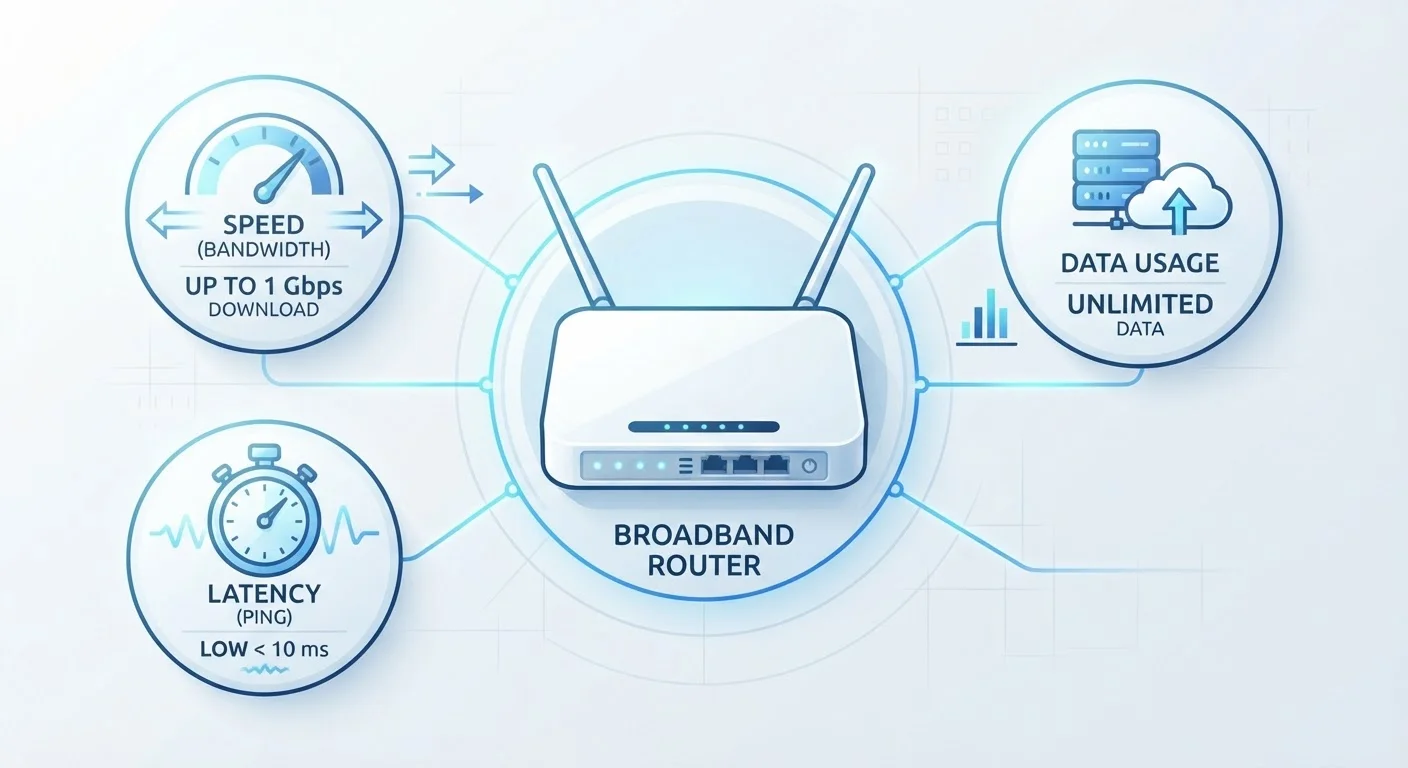
Mbps (Megabits per second) is the standard unit for measuring internet speed. It tells you how much data travels across your connection each second. Plans are typically advertised with two speed figures:
- Download speed - how fast data arrives at your device (streaming, browsing, loading files)
- Upload speed - how fast data leaves your device (video calls, cloud backups, posting content)
Many plans are asymmetric, meaning upload speeds are noticeably slower than download speeds. Fiber connections tend to offer symmetric speeds - equal upload and download - which matters for households with frequent video calls or large file uploads.
Bandwidth is closely related but slightly different: it describes the total capacity of the connection, not the current speed you're achieving. Think of it as the width of a pipe - more bandwidth means more devices can use the connection simultaneously without slowing each other down.
Mbps
Megabits per second - the standard unit for measuring internet connection speed. Higher Mbps means more data can transfer each second.
Latency
The time, measured in milliseconds, for a data signal to travel from your device to a remote server and back. Lower latency means a more responsive connection.
Data Cap
A monthly limit on the total amount of data you can transfer. Exceeding it may result in slower speeds, service suspension, or additional charges depending on the carrier.
Throttling
A deliberate reduction in connection speed, applied by a carrier after a data threshold is reached or during periods of network congestion.
Bandwidth
The total capacity of an internet connection - the maximum amount of data it can carry simultaneously. More bandwidth supports more devices without slowdown.
Symmetric Speed
A connection where upload and download speeds are equal. Common in fiber plans; beneficial for households that regularly upload large files or use video conferencing.
Jitter
The inconsistency or fluctuation in latency over time. High jitter causes choppy video calls and unpredictable gaming connections even when average latency appears acceptable.
Early Termination Fee
A penalty charged by a carrier if you cancel a service contract before the agreed end date. The amount may decrease incrementally over the contract term.
Latency, Ping, and Why They Affect Your Experience
Latency is the time it takes for a signal to travel from your device to a server and back, measured in milliseconds (ms). It is often reported as ping in speed tests and router dashboards.
Lower latency means snappier, more responsive connections. High latency doesn't affect download speed directly, but it creates noticeable lag in activities that require constant back-and-forth communication:
- Online gaming
- Video conferencing
- Voice-over-IP calls
Satellite internet, particularly older geostationary satellite systems, typically carries high latency (often 600 ms or more) because the signal must travel to orbit and back. Low-Earth orbit satellite services generally achieve lower latency than geostationary systems, though still higher than cable or fiber in most real-world comparisons.
Jitter is the variation in latency over time. Even moderate average latency can feel choppy if jitter is high, because packets of data arrive unevenly.
Data Caps, Throttling, and Fair Use Policies
A data cap (also called a data allowance or monthly data limit) sets the maximum amount of data you can transfer in a billing cycle before your service changes in some way. Caps are measured in gigabytes (GB) or terabytes (TB).
What happens when you hit a data cap depends on the carrier:
- Hard cap: Service is suspended or slowed to a near-unusable rate until the next billing cycle (or until you purchase additional data)
- Soft cap / throttling: Speeds are reduced - often dramatically - for the remainder of the billing period
- Overage charges: You're billed for each additional GB used beyond the cap
Plans marketed as unlimited sometimes include a network management policy (a form of soft cap) that deprioritizes heavy users during periods of network congestion. This is different from a hard cutoff but can still affect performance.
For a detailed breakdown of how caps and throttling work in practice, see our guide on how data caps actually affect your household.
Connection Types and Contract Terms
Internet plans are delivered over different underlying technologies, each with different speed ceilings and reliability characteristics:
- Fiber (FTTP/FTTH): Optical cables carry data as light pulses - generally the fastest and most reliable residential option available
- Cable (DOCSIS): Uses the same coaxial infrastructure as cable TV; speeds can vary based on neighborhood network load
- DSL: Delivered over copper phone lines; speed degrades with distance from the provider's equipment
- Fixed wireless: A radio transmitter at your home receives signal from a nearby tower; performance depends on line-of-sight and local congestion
- Satellite: Signal travels to and from orbiting satellites; available nearly anywhere but subject to higher latency and weather sensitivity
On the contract side, watch for these terms:
- Introductory rate: A promotional price that rises - often significantly - after an initial period
- Early termination fee (ETF): A penalty charged if you cancel before the contract end date
- Equipment fee: A monthly rental charge for a modem or router provided by the carrier
Before signing anything, use the pre-contract checklist to verify how each of these terms applies to the plan you're considering. You may also want to review key questions to ask before choosing a plan to make a fully informed decision.