

Key Takeaways
Why Spec Sheets Feel Overwhelming - and How to Fix That
A phone's specification sheet lists dozens of technical figures across processor, memory, display, camera, battery, connectivity, and build. Manufacturers present this data in their preferred order, using model numbers and proprietary labels that don't translate easily across brands. The result looks authoritative but can feel deliberately opaque.
Reading a spec sheet is a learnable skill. Like decoding a nutrition label, the key is knowing which categories matter for your specific needs and which figures are largely marketing noise. This guide walks through each major spec category in a logical sequence so you can evaluate any phone on a level footing.
What you will need
For terminology that appears on carrier product pages alongside these specs, the Mobile Plan Terms Glossary covers network and plan vocabulary that complements the hardware side.
Specs Don't Tell the Whole Story
Manufacturers choose which benchmarks and numbers to highlight, and marketing copy often frames figures in ways that overstate practical impact. A phone with a lower-spec processor optimized by its software team can outperform a higher-number competitor in daily use. Always cross-reference spec sheets with independent reviews before drawing conclusions. For a deeper look at this gap, see Specifications vs. Real-World Performance.
Step-by-Step: Reading Each Section of a Spec Sheet
Work through the categories below in order. Each step identifies what the spec measures, what range is considered capable for typical use, and what marketing language to discount.
Identify the Processor and Its Tier
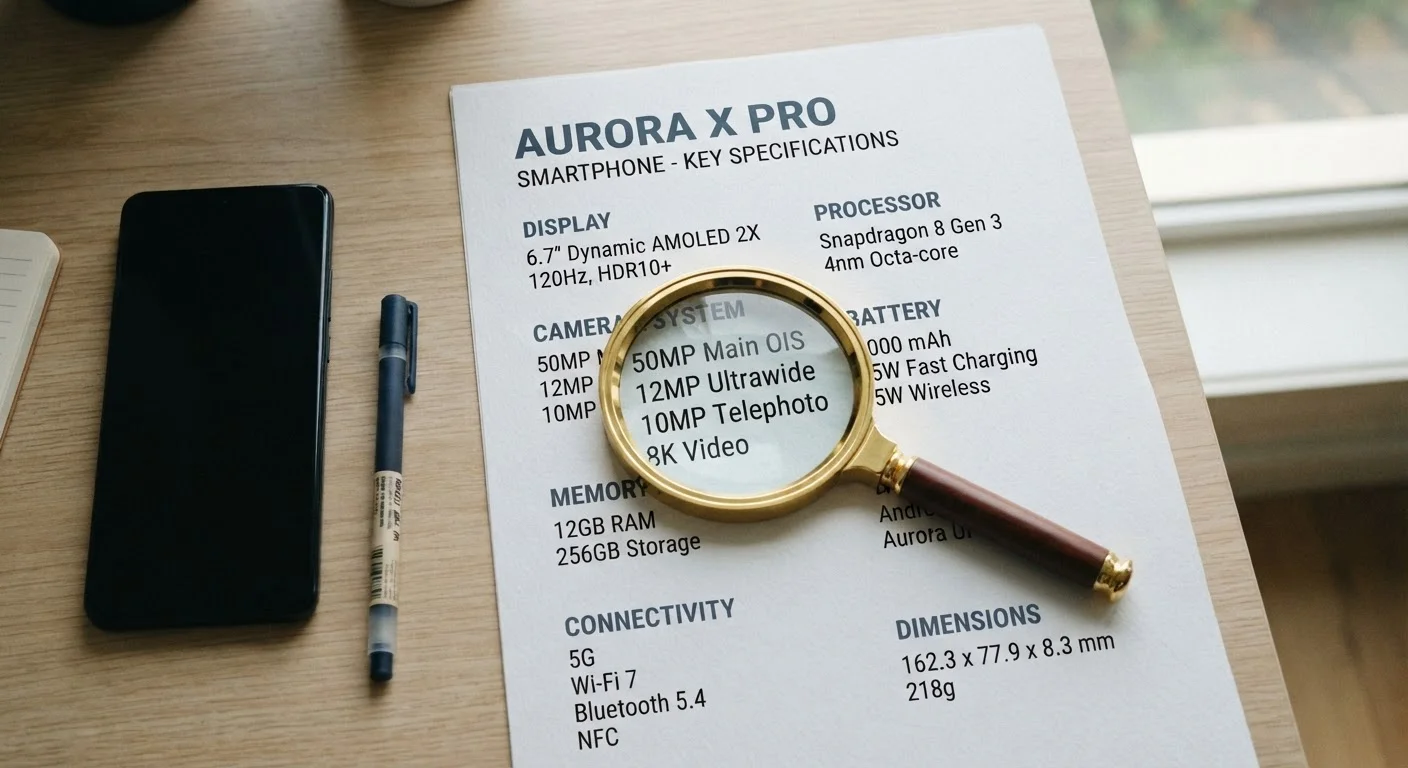
The processor (also called the chipset or SoC - System on a Chip) is the single most influential spec for performance and longevity. Look for names like Snapdragon, Apple A-series, Dimensity, or Exynos, followed by a model number.
Model numbers within a family indicate tier: higher numbers generally signal a newer or more capable chip within that generation. Focus on the chip's generation and market segment (flagship, mid-range, entry-level) rather than individual core counts or GHz figures, which are harder to compare across manufacturers.
Evaluate RAM and What It Means Day-to-Day
RAM (Random Access Memory) determines how many apps can remain open in the background without needing to reload. Spec sheets list this in gigabytes (GB). A phone with 4 GB of RAM may struggle if you routinely switch between navigation, music, messaging, and a browser simultaneously.
For most users, 6-8 GB handles typical multitasking comfortably. Power users or mobile gamers often benefit from 12 GB or more. Note that RAM alone doesn't determine speed - how the operating system manages memory matters equally.
Decode the Display Specifications
Display specs include panel type, resolution, size, and refresh rate. Panel type (OLED vs. LCD) affects color accuracy and power draw; OLED panels typically deliver deeper blacks and higher contrast. Resolution (listed as pixel dimensions or a marketing label like FHD+) affects sharpness at the screen's physical size.
Refresh rate, measured in Hz, describes how many times per second the screen updates. A 60 Hz display feels standard; 90 or 120 Hz produces noticeably smoother scrolling and animation. Some phones dynamically adjust refresh rate to conserve battery.
Interpret Storage Numbers Accurately
Internal storage is listed in GB or TB. This figure represents total flash memory, but the operating system and bundled apps occupy a meaningful portion before you store anything. Plan for roughly 15-20% of listed storage to be unavailable at first boot.
Check whether the phone supports expandable storage via microSD card - many current flagship models do not. If cloud backup is your primary strategy, lower onboard storage may suffice; if you store large video files locally, prioritize higher tiers.
Read the Camera Specifications Critically
Camera specs list megapixel (MP) count, aperture (f-number), sensor size, and sometimes optical zoom range. Higher megapixels do not automatically produce better photos - sensor size, aperture width, and image processing software heavily influence real-world output.
A wider aperture (lower f-number, such as f/1.8 vs. f/2.4) admits more light, improving low-light performance. Optical zoom uses physical lens movement for quality magnification; digital zoom is essentially a crop and degrades image quality. Multi-camera setups list specs for each lens separately.
Understand Battery Capacity and Charging Specs
Battery capacity is listed in milliampere-hours (mAh). Larger numbers indicate more stored energy, but actual battery life depends on screen size, processor efficiency, software optimization, and usage patterns - not capacity alone.
Charging speed is listed in watts (W). Higher wattage means faster recharging, but you must use a compatible charger to reach that speed. Wireless charging wattage is typically lower than wired speeds. Some phones support reverse wireless charging to power accessories.
Look Up the IP Rating for Durability
An IP (Ingress Protection) rating follows the format IP + two digits (e.g., IP68). The first digit rates dust resistance on a scale of 0-6; the second rates water resistance on a scale of 0-9. IP68 - common on many current phones - indicates full dust protection and submersion resistance beyond one meter, with exact depth and duration defined by the manufacturer's testing conditions.
IP ratings are based on controlled lab tests and do not guarantee performance in all real-world scenarios. Damage from liquid exposure is typically excluded from standard manufacturer warranties regardless of rating.
Match Specs to Your Actual Habits
Before reading a spec sheet, write down your three most common phone activities - streaming, photography, gaming, navigation, or social browsing. Then prioritize the spec categories that most directly serve those habits. You'll cut through irrelevant numbers faster and avoid paying for capability you won't use.
If you're new to smartphones entirely and want broader context before diving into specs, Understanding Your First Smartphone covers the foundational concepts in plain English.
"Internal Storage" Is Never What You Get
A phone listed with 128 GB of storage will typically have 10-20 GB consumed by the operating system and pre-installed apps before you turn it on. Factor this in when deciding whether a storage tier is sufficient for your photos, apps, and offline media.