

Key Takeaways
Writing reinforces awareness of every transaction
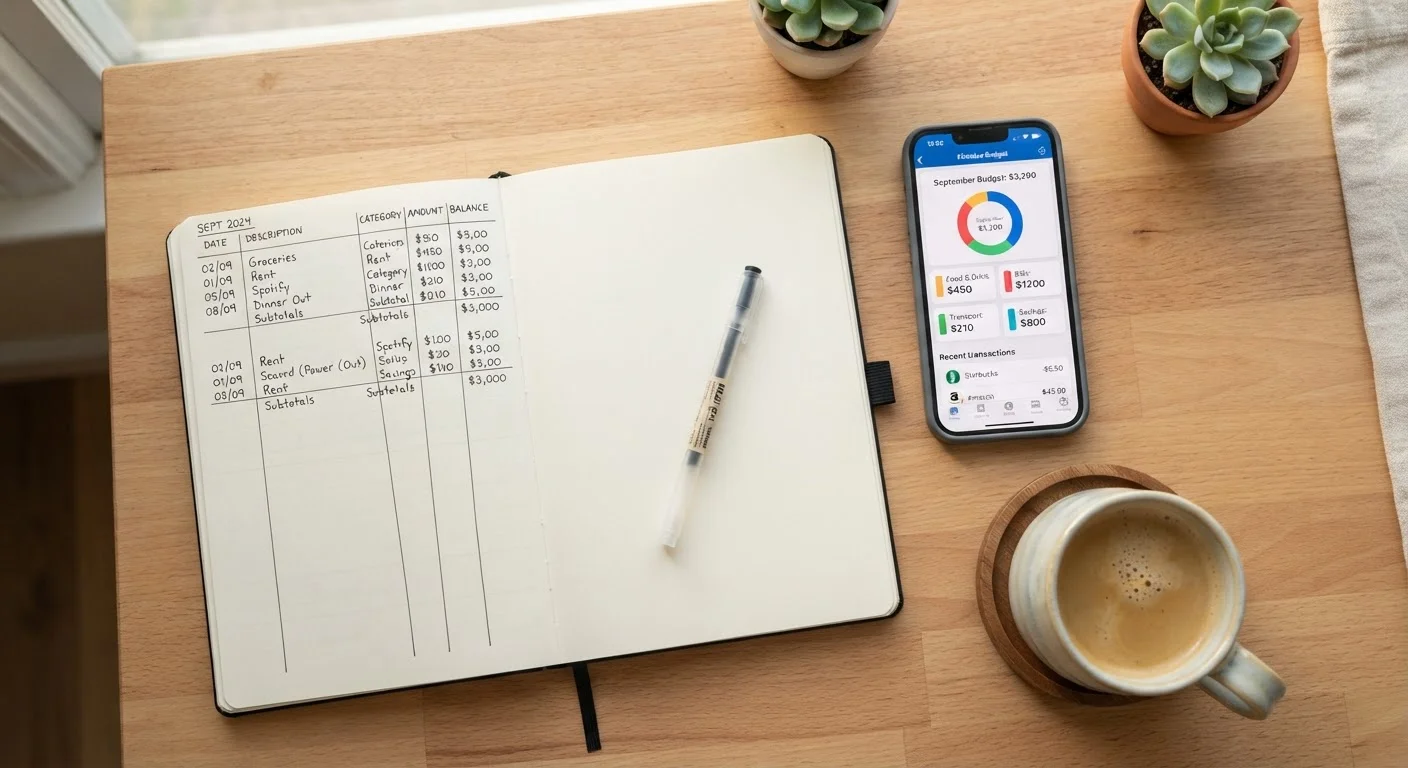
The physical act of recording a purchase creates a moment of deliberate attention that passive automation skips entirely. This repeated friction helps many people internalize their spending patterns more deeply.
No third-party data sharing required
Manual methods-paper, spreadsheet, or printed worksheet-require no bank account connection, keeping your financial data entirely private and under your control.
Fully customizable without software constraints
You define the categories, the time periods, and the level of detail that matches your actual life rather than working around an app's preset structure.
Low cost-often free
A notebook and a pen, or a free spreadsheet template, represent essentially zero ongoing cost compared to subscription-based budgeting apps.
Time-consuming and easy to abandon
Logging every transaction manually requires consistent daily or weekly effort, and gaps in the record can undermine the entire picture. Most people fall behind during busy periods.
Prone to math errors and omissions
Manual addition and category sorting introduces the possibility of calculation mistakes, and small cash transactions are easily forgotten, skewing your totals.
No automatic alerts or trend visualizations
You won't receive a notification when you're approaching a category limit, and generating trend charts requires additional effort beyond basic record-keeping.
Apps share financial data with third parties
Connecting a bank account to a budgeting app means your transaction data is processed and often stored by a private company, subject to its own privacy policies and potential data practices.
Automation can create passive engagement
When an app does the work automatically, it's easy to feel like you're managing your budget without actually reflecting on the data or adjusting your behavior.
Auto-categorization errors require auditing
Apps frequently miscategorize transactions-a grocery run may appear under dining, for example-and uncorrected errors distort your spending analysis over time.
Our Verdict
Manual tracking is more effective at building conscious spending habits for people who are new to budgeting or trying to break ingrained patterns-the friction is a feature, not a flaw. Apps are better suited to people who already have stable habits and want efficient, low-effort record-keeping. Either method requires consistent review to translate raw data into better decisions.
Manual tracking suits beginners or anyone who wants deeper behavioral change; apps suit people with established habits who prioritize convenience and automation.
Why Your Tracking Method Actually Matters
Tracking spending is the foundation of any working budget. Without it, you're estimating-and most people consistently underestimate what they spend in discretionary categories like dining, subscriptions, and impulse purchases. But how you track matters almost as much as whether you track at all.
The method you choose shapes your relationship with the data. Manual tracking forces a small moment of deliberate attention each time money leaves your account. App-based tracking removes that friction entirely, which is convenient-but friction, as it turns out, can be financially useful. If you're building your first budget from scratch, see our step-by-step budget guide for a solid foundation before choosing a tracking method.
The Case for Tracking by Hand
Writing reinforces awareness of every transaction
The physical act of recording a purchase creates a moment of deliberate attention that passive automation skips entirely. This repeated friction helps many people internalize their spending patterns more deeply.
No third-party data sharing required
Manual methods-paper, spreadsheet, or printed worksheet-require no bank account connection, keeping your financial data entirely private and under your control.
Fully customizable without software constraints
You define the categories, the time periods, and the level of detail that matches your actual life rather than working around an app's preset structure.
Low cost-often free
A notebook and a pen, or a free spreadsheet template, represent essentially zero ongoing cost compared to subscription-based budgeting apps.
Writing down every transaction-whether in a notebook, a printed worksheet, or a simple spreadsheet you update yourself-creates a feedback loop that digital automation cannot replicate. Research in cognitive psychology consistently suggests that the physical act of writing improves encoding and recall. Applied to spending, this means you're more likely to remember what you spent and why.
Manual tracking also forces you to define your own categories, which deepens your understanding of where your money goes. That process is educational in itself. For a practical guide to structuring those categories, see how to define spending categories.
The drawbacks are real: manual tracking requires consistent time investment, it's easy to fall behind, and math errors can distort your picture. Most people who try it initially abandon it within weeks-not because it doesn't work, but because life gets busy.
Time-consuming and easy to abandon
Logging every transaction manually requires consistent daily or weekly effort, and gaps in the record can undermine the entire picture. Most people fall behind during busy periods.
Prone to math errors and omissions
Manual addition and category sorting introduces the possibility of calculation mistakes, and small cash transactions are easily forgotten, skewing your totals.
No automatic alerts or trend visualizations
You won't receive a notification when you're approaching a category limit, and generating trend charts requires additional effort beyond basic record-keeping.
Apps share financial data with third parties
Connecting a bank account to a budgeting app means your transaction data is processed and often stored by a private company, subject to its own privacy policies and potential data practices.
Automation can create passive engagement
When an app does the work automatically, it's easy to feel like you're managing your budget without actually reflecting on the data or adjusting your behavior.
Auto-categorization errors require auditing
Apps frequently miscategorize transactions-a grocery run may appear under dining, for example-and uncorrected errors distort your spending analysis over time.
The Case for Using a Budgeting App
33%
Adults who track spending in any format
A survey by the Consumer Financial Protection Bureau found roughly one in three U.S. adults regularly monitors their spending, suggesting most households lack a consistent tracking habit of any kind.
~$400
Average monthly underestimate of discretionary spending
Studies on financial self-reporting suggest consumers consistently underestimate their discretionary spending, often by several hundred dollars monthly, highlighting why systematic tracking matters.
Budgeting apps connect to your bank and credit card accounts, categorize transactions automatically, and generate spending summaries without any manual entry. For people juggling multiple accounts or irregular income, this automation is genuinely valuable. You can see a complete financial picture in seconds rather than spending 20 minutes at the end of the week reconciling a notebook.
Apps also tend to offer visual tools-charts, trend lines, monthly comparisons-that make patterns easier to spot. Seeing a bar chart of your restaurant spending climb over three months is more visceral than adding up a column of numbers.
The trade-offs are meaningful, however. Linking bank accounts to a third-party app involves sharing your financial data with a private company. Reading the app's privacy policy and understanding how your data may be used or shared is a step worth taking before connecting any account. There's also a real risk of passive engagement: the app tracks everything, but if you only glance at it occasionally, you gain the data without gaining the awareness. Apps also vary widely in reliability when it comes to auto-categorization-miscategorized transactions can mislead your analysis if you don't audit them.
Before You Link Your Bank Account
Most budgeting apps require read-only access to your accounts, meaning they cannot move money-but they do receive your full transaction history. Review the app's privacy policy to understand whether your data is sold to or shared with third parties. Look for apps that use bank-level encryption and offer two-factor authentication. If you have concerns, a manual spreadsheet or a locally stored file achieves the same tracking goal without any external data connection.
Choosing the Approach That Will Actually Work for You
The most effective tracking method is the one you'll use consistently. A few questions can help clarify which fits your situation:
- Are you trying to change behavior or just record it? If you're trying to break overspending patterns, the deliberate friction of manual tracking is an asset. If you're already disciplined and want efficiency, an app may serve you better.
- How comfortable are you with data privacy trade-offs? Connecting financial accounts to third-party apps involves real data-sharing considerations-similar in nature to the privacy trade-offs of storing account data online.
- Do you have consistent time for a weekly review? Both methods require regular engagement to be useful. Raw data-whether handwritten or app-generated-only creates value when you reflect on it and adjust your behavior accordingly.
Some people use a hybrid approach: an app for automated capture and a weekly manual review where they write down key insights. That combination can offer the best of both.
This article is for general informational purposes only and does not constitute personalized financial advice. Consider consulting a qualified financial professional for guidance specific to your situation.