

Key Takeaways
Start here
Why Public Wi-Fi Is Different from Your Home Network
Understand the risks
The Actual Threats: What Can Go Wrong
Know your tools
How HTTPS Helps - and Where It Falls Short
Take action
Practical Precautions Before You Shop
Final judgment call
When to Simply Wait Until You're Home
Why Public Wi-Fi Is Different from Your Home Network
Your home router creates a private, password-protected network. Public hotspots at airports, coffee shops, hotels, and libraries work on a fundamentally different model: they're shared among dozens or hundreds of strangers simultaneously, and many are unencrypted at the network level, meaning data sent across them can be intercepted by other users on the same connection.
On a home network, you control who connects. On a café's open Wi-Fi, you do not. That shared environment is what separates everyday convenience from genuine security exposure. For a broader look at how network configuration affects your digital security, see our overview on home network security basics.
Public Wi-Fi
A wireless internet connection available to anyone in a physical location, such as a café or airport, typically without individual authentication or network-level encryption.
HTTPS
A protocol that encrypts data sent between your browser and a website's server, indicated by a padlock icon in the address bar. It protects data in transit but not the network connection itself.
Evil Twin Attack
A rogue Wi-Fi hotspot set up to look like a legitimate network. When you connect, the attacker can monitor your traffic or capture login credentials.
VPN (Virtual Private Network)
A service that encrypts all internet traffic from your device and routes it through a secure server, making it much harder for others on the same network to intercept your data.
Man-in-the-Middle Attack
An attack where someone secretly intercepts communication between your device and a website, potentially reading or altering the data exchanged.
Two-Factor Authentication (2FA)
A login security method that requires both your password and a second verification step - such as a code sent to your phone - before granting account access.
Session Token
A small piece of data your browser holds after you log in that keeps you authenticated. If captured by an attacker, it can allow them to access your account without your password.
Packet Sniffing
The use of software to capture data packets traveling across a network. On unencrypted connections, this can expose readable information like usernames and form submissions.
The Actual Threats: What Can Go Wrong
Understanding specific attack types helps you make grounded decisions rather than either ignoring risk entirely or avoiding public Wi-Fi altogether out of vague fear.
- Packet sniffing: On unencrypted networks, specialized software can capture data packets traveling across the network. Usernames, passwords, and form data submitted to non-HTTPS sites are readable in plaintext.
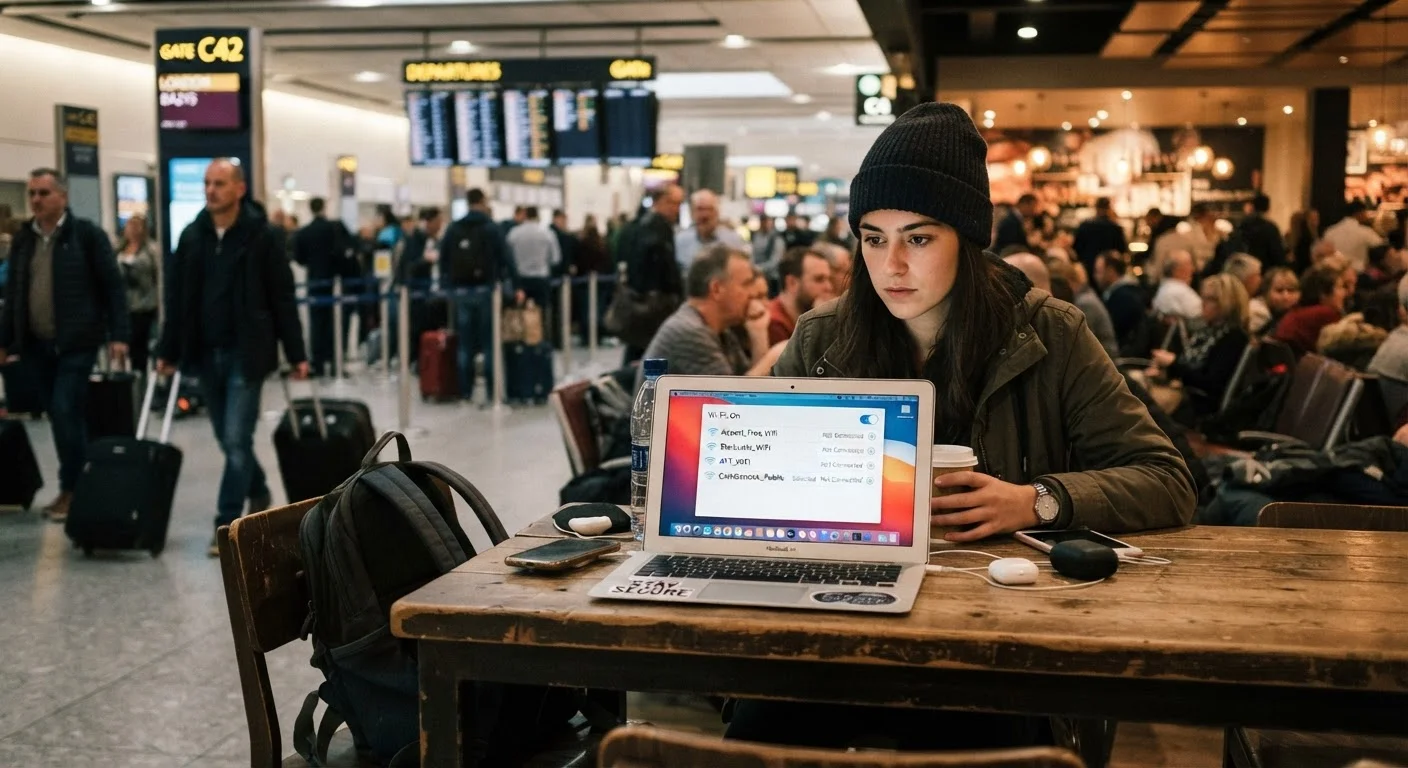
- Evil twin attacks: A bad actor sets up a rogue hotspot with a name nearly identical to the legitimate one - say, "CafeWifi" instead of "Cafe_Wifi". Connecting routes all your traffic through the attacker's device.
- Session hijacking: Even after a secure login, your session token (a small piece of data that keeps you logged in) can potentially be captured if the connection is not fully encrypted, allowing an attacker to impersonate you without needing your password.
- Man-in-the-middle (MitM) attacks: An attacker positions themselves between your device and the website, able to intercept or modify the data exchanged.
These are real attack techniques, not theoretical constructs. Security researchers and consumer-protection agencies routinely demonstrate them to illustrate why public networks deserve caution.
Don't Rely on Network Name Alone
The name (SSID) of a Wi-Fi network can be set to anything by whoever creates it - there is no technical verification that 'Airport_WiFi' actually belongs to the airport. Always confirm the correct network name with venue staff before connecting, and be cautious of networks that appear when no staff member can confirm their legitimacy.
How HTTPS Helps - and Where It Falls Short
Most legitimate shopping sites today use HTTPS (indicated by a padlock icon in your browser's address bar). HTTPS encrypts traffic between your device and the website's server, meaning that even if data packets are intercepted on a public network, they appear as scrambled, unreadable text rather than your credit card number or password.
This is a meaningful protection - and it's one reason that HTTPS is a basic trustworthiness signal when evaluating any online retailer. See the anatomy of a trustworthy online retailer for a full breakdown of those signals.
However, HTTPS has important limits on public Wi-Fi:
- It does not protect you if you've already connected to a fake network before reaching the legitimate site.
- It cannot verify that the site you're visiting is what it claims to be if you arrived there via a phishing link.
- Not every page on every site uses HTTPS consistently, particularly older or poorly maintained stores.
For plain-language definitions of terms like SSL, HTTPS, and session tokens, the Online Shopping Security Glossary is a useful companion resource.
Practical Precautions Before You Shop
You don't need to be a security expert to reduce your exposure on public Wi-Fi. These steps are accessible and effective:
- Use a VPN (Virtual Private Network). A reputable VPN encrypts all traffic from your device to the VPN server, making interception on the local network significantly harder. Look for VPN providers with clear no-logging policies and a track record of independent audits.
- Verify the network name before connecting. Ask a staff member for the exact network name rather than selecting any network that appears to match the venue. Treat any network you're uncertain about as untrusted.
- Enable two-factor authentication (2FA) on shopping accounts. If an attacker does obtain your password, 2FA means they still can't access your account without a second verification step.
- Avoid saving payment details during checkout on public connections. Completing a transaction as a guest rather than logging into a saved account reduces what's at stake if something is intercepted.
- Check your full checkout URL carefully. Ensure you're on the retailer's legitimate domain before entering any payment information. Slight misspellings in URLs are a common phishing tactic.
Before any online purchase, running through a structured verification routine pays off. The pre-purchase safety checklist covers exactly that process.
Mobile Data as a Quick Alternative
If you need to complete a purchase while out and don't have a VPN configured, switching your phone to its cellular data connection and using it as a personal hotspot is a practical workaround. Cellular connections are encrypted by the network operator and not shared with strangers the way public Wi-Fi is, making them a meaningfully safer option for sensitive transactions.
When to Simply Wait Until You're Home
Sometimes the most sensible precaution is a brief delay. Consider waiting for a trusted connection if you're about to:
- Enter a new payment method or full card details for the first time
- Create a new account with a password you'll use elsewhere
- Access financial or healthcare account portals alongside shopping
- Complete a high-value transaction where fraud recovery would be difficult
Your smartphone's mobile data connection is a practical middle ground when you need to transact immediately but lack access to a trusted network. Cellular connections use their own encryption layer and aren't shared open networks, making passive interception considerably harder than on public Wi-Fi.
For a complete picture of how your information moves during a shopping session - beyond just the network layer - see what happens to your data when you shop online. And for a full end-to-end security framework, Online Shopping Safety From Start to Checkout pulls together account setup, payment choices, and post-purchase steps in one place.
The goal isn't to make public Wi-Fi feel categorically dangerous - it's to help you recognize which moments call for extra care and which tools make a real difference when you need them.