

Key Takeaways
Option A
Download Speed
The widely advertised metric that most households recognize.
Best for: Streaming video, browsing the web, loading apps, and consuming online content.
Option B
Upload Speed
The often-overlooked metric that remote workers and creators depend on.
Best for: Video calls, cloud backups, live streaming, and sending large files.
If your household primarily streams video and browses the web
Download Speed
Consuming content is almost entirely download-driven, so a high download figure is the most relevant metric for light users.
If you work from home or attend regular video calls
Upload Speed
Video conferencing and screen sharing push data continuously from your device outward, making upload speed the real bottleneck in these scenarios.
If multiple household members work, study, or create content remotely
Upload Speed
Simultaneous upload-heavy activities - video calls, cloud syncing, file transfers - compound quickly and can overwhelm a low upload cap even on high-download plans.
If you back up large files or use cloud storage regularly
Upload Speed
Uploading gigabytes of photos, video, or documents to cloud services is constrained entirely by your upload capacity, not your download speed.
What Download and Upload Speed Actually Mean
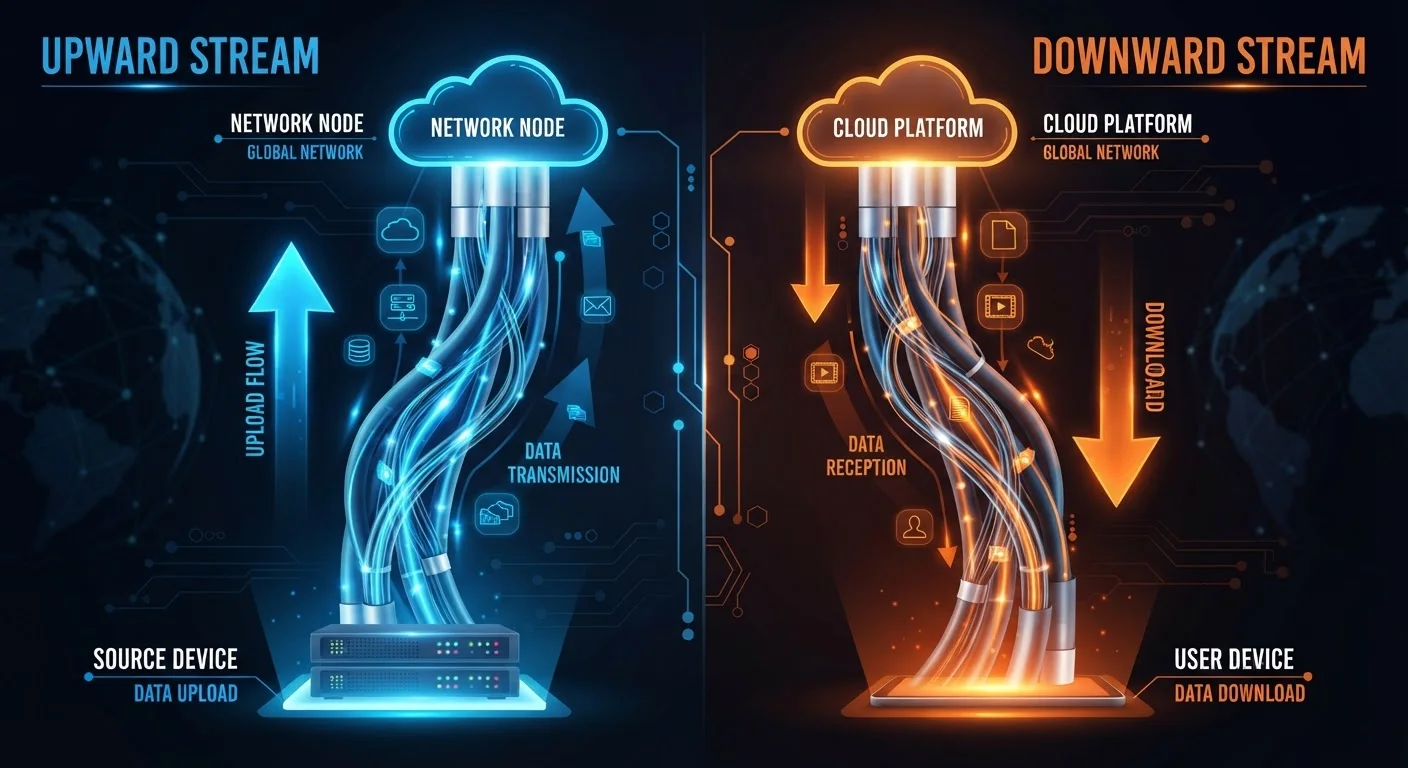
Every time you load a webpage, start a Netflix stream, or download a software update, data travels to your device from a remote server. That movement is measured as download speed, expressed in megabits per second (Mbps) or gigabits per second (Gbps). It's the number ISPs (internet service providers) almost always put front and center in their marketing.
Upload speed works in the opposite direction: it measures how fast data travels from your device to the internet. Every time you send an email with attachments, join a Zoom call, post a video, or save files to a cloud drive, your upload capacity is what determines how smoothly that happens.
These two numbers are independent of each other, and the ratio between them varies widely depending on the type of connection you have. Understanding both is essential to evaluating whether a plan genuinely fits your household's needs. For a broader look at how connection type shapes speed performance, see our comparison of fiber and cable internet.
| Criterion | Download Speed | Upload Speed |
|---|---|---|
| Direction of data flow | From internet to your device | From your device to internet |
| Primary use cases | Streaming, browsing, gaming, downloads | Video calls, cloud backup, live streaming |
| Advertised prominently by ISPs | Yes - typically the headline figure | Rarely - often buried in plan details |
| Typical cable plan ratio | Up to 1 Gbps on higher tiers | Often 10-35 Mbps on same plan |
| Fiber plan ratio | Often symmetrical (e.g. 500 Mbps) | Often symmetrical (e.g. 500 Mbps) |
| Impact of multiple simultaneous users | Each stream pulls from shared download | Each call or backup competes for limited upload |
| Remote work relevance | Moderate - receiving files and data | High - video calls, VPNs, file sharing |
Why the Gap Between the Two Numbers Matters
Historically, most home internet traffic was asymmetric - people downloaded far more than they uploaded. Browsing, streaming, and gaming are all download-dominant activities. ISPs built their networks accordingly, allocating far more bandwidth to the downstream channel than the upstream one.
That calculus has shifted. Remote work, video conferencing, cloud-based collaboration tools, and user-generated content have made upload speed a daily constraint for millions of households. A plan advertised as "300 Mbps" might deliver exactly that for downloads - but only 10-20 Mbps for uploads. In practice, that ceiling can choke a single 4K video call, let alone two people on simultaneous conference calls.
DOCSIS vs. Fiber: A Structural Difference
Cable internet runs on DOCSIS (Data Over Cable Service Interface Specification) technology, which was originally designed when most home traffic was inbound. This means upload capacity is built into the architecture as a secondary concern. DOCSIS 3.1 - the current standard for most cable providers - allocates significantly more channel capacity to downloads than uploads. Fiber-optic connections transmit data as light signals over dedicated lines, and providers can configure upload and download speeds independently, making symmetrical plans far more common.
Cable internet (DOCSIS technology) is architecturally asymmetric, meaning upload capacity is structurally limited compared to download. Fiber connections, by contrast, are often provisioned with symmetrical speeds - the same figure for both upload and download. This infrastructure difference is one of the most consequential practical distinctions between connection types. Our guide to shared vs. dedicated connections explains how network architecture affects real-world performance.
When Upload Speed Becomes the Real Bottleneck
Several common household activities are constrained almost entirely by upload speed, not download speed:
- Video conferencing: Platforms like Zoom, Teams, and Google Meet continuously transmit your camera feed and audio outward. A weak upload signal results in pixelated video and audio drops - regardless of how fast your downloads are.
- Cloud backup services: Automatically syncing photos, documents, and system backups sends large volumes of data upstream. On a 10 Mbps upload connection, backing up 10 GB of files can take well over two hours.
- Live streaming and content creation: Uploading video to platforms or live-streaming gameplay requires sustained high upload throughput. Bitrate requirements for quality streams often exceed what entry-level cable plans can sustain.
- Remote desktop and VPN access: Connecting to a corporate network or accessing files on a remote server involves bidirectional data transfer, and slow upload speeds create lag in both directions.
If your household fits any of these profiles, the advertised download speed on a plan may tell you very little about the experience you'll actually have. Matching your household's speed needs to the right plan tier requires looking at both columns, not just the headline number.
~10-20 Mbps
Typical cable plan upload speed
Many cable internet plans marketed at 200-400 Mbps download speeds deliver upload speeds in this range, according to ISP specification sheets.
3-5 Mbps
Minimum upload for stable 1080p video call
Major video conferencing platforms generally recommend at least 3 Mbps upload for HD group calls; 4K calls require significantly more.
Symmetrical
Upload-to-download ratio on fiber plans
Fiber plans from most providers are provisioned with equal upload and download speeds, unlike cable's architecturally asymmetric design.
How to Evaluate a Plan's Upload Capacity Before You Sign
ISPs are not always transparent about upload speeds. Here's how to find the information you need before committing to a plan:
- Look for the full spec sheet. Plan marketing pages often list only download speeds. Navigate to the plan's detailed terms or equipment page to find the upload figure - it's usually there, just not prominent.
- Run a speed test on your current connection. Tools like Ookla's Speedtest or fast.com will show your current upload speed alongside download. This gives you a baseline to compare against what a new plan promises.
- Ask directly about upload speeds. When speaking to a provider's sales team, specifically ask what the upload speed is for the plan you're considering - not just the download figure.
- Consider connection type as a proxy. If fiber is available in your area, it's far more likely to offer upload speeds comparable to download speeds. Cable plans almost universally deprioritize upload bandwidth by design.
Knowing what questions to ask is half the battle. Our article on key questions before choosing a home internet plan covers the full range of factors - from equipment fees to reliability - that deserve scrutiny before you sign.